Export
Memory-as-code — export your memories as a deterministic markdown tree you can read, diff, back up, and re-import.
Export turns your memory store into a tree of plain markdown files — one file
per memory — packaged as a zip you download from the dashboard. The output is
deterministic, so git diff between two exports shows exactly what
accumulated, what was superseded, and what was invalidated. The same tree
re-imports cleanly, which makes it a backup a human can restore.
What the export contains
One memory is one file. Files are named by a stable slug derived from the
memory id and grouped into directories by scope, so unchanged memories
produce byte-identical files and an unchanged store produces an empty git
diff. Live memories sit in the main tree; superseded and invalidated memories
move to an archive/ subtree, so lifecycle transitions appear in diffs as
file moves. See
Supersede and versioning.
Frontmatter carries the audit trail: id, kind, scope, visibility, language, creation time, author kind and agent name, supersede and invalidation markers, and the provenance source. The body is the canonical English content, with the original phrasing preserved alongside when the memory was written in another language. See Canonical language and Provenance.
Derived data is not exported. The entity graph, conflict state, and embeddings are runtime artifacts the system recomputes; exporting them would ship a cache full of ids that resolve nowhere else. On re-import, entity resolution rebuilds the graph and hygiene re-detects any conflicts on its own.
Export runs entirely under your identity and row-level security: the tree
contains your own memories and what has been shared with you — never someone
else's private data. Because a bulk export is a significant egress, the
server-side read path (export_memories) is executed as an audited command
and appears in the audit log.
Exporting from the dashboard
Export lives on the dashboard settings page.
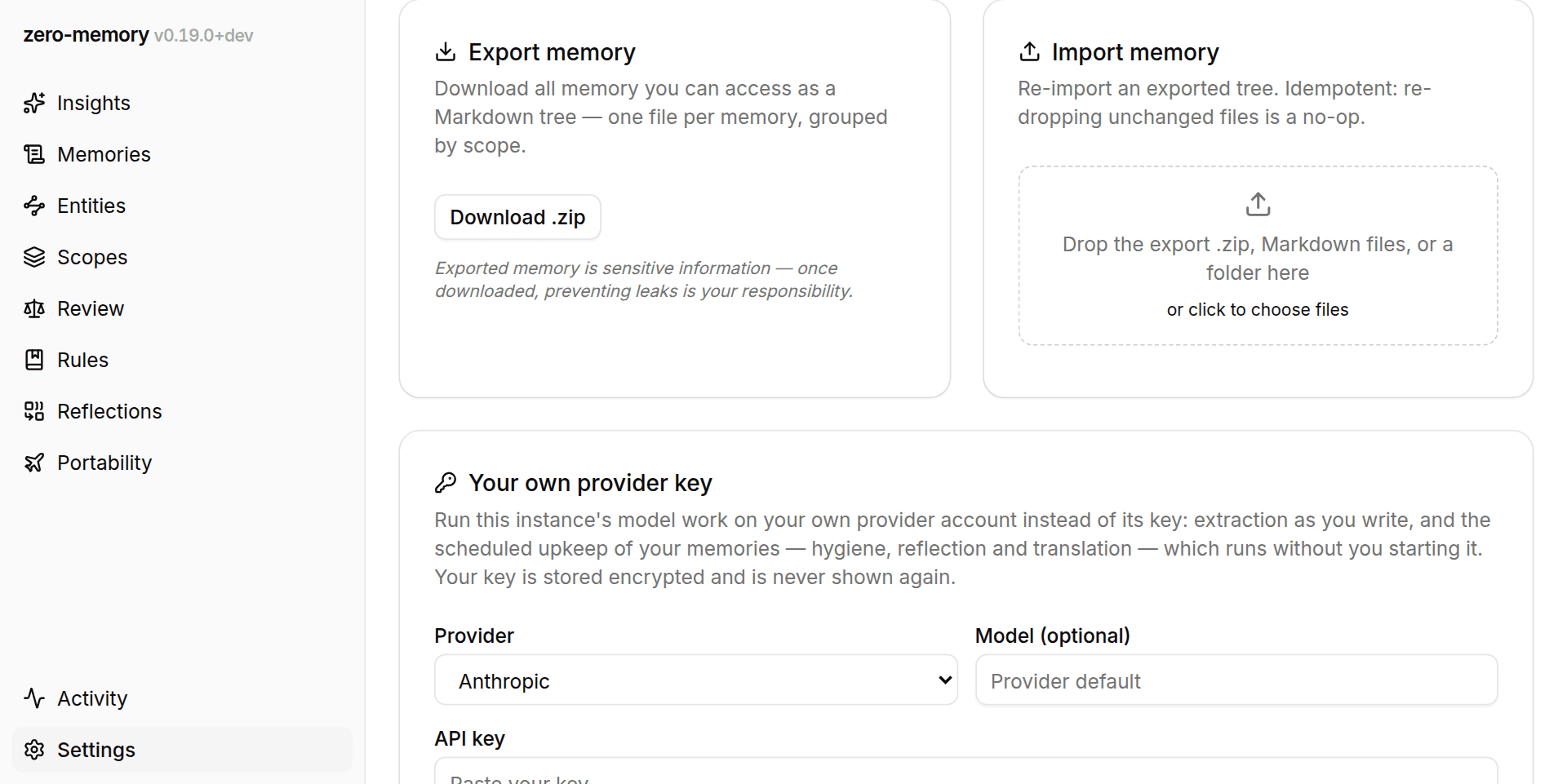
Click export and the browser streams a zm-memory-export-<timestamp>.zip
with download progress; successive exports are distinct files that sort
chronologically. The server pages through your memories internally, so a
store of a few thousand memories exports in one pass. A git repository is
the natural home for the unpacked tree, since determinism makes git your
incremental backup.
The same panel imports: drop markdown files, or the export zip itself, and the browser unpacks and uploads them in small batches with per-batch progress.
A narrower export lives on the Scopes screen: each scope card offers its own markdown-zip download containing just that scope's memories (the scope is part of the file name, next to the timestamp).
Round trip
The export format is readable by the import parser: kind, scope, and body are enough to reconstruct each memory, and unknown frontmatter keys are ignored. Re-importing an exported tree into the same store is idempotent: every file comes back as skipped or deduplicated.
Export moves content out of the database and into files on your machine, so a secret that slipped into a memory would become a secret in a repo. The write-path content guard exists to stop that class of content before it is ever stored.